


Want to know about Network Devices, Types of Transmission Media and Types of Switching?
Network Devices
1. Hub
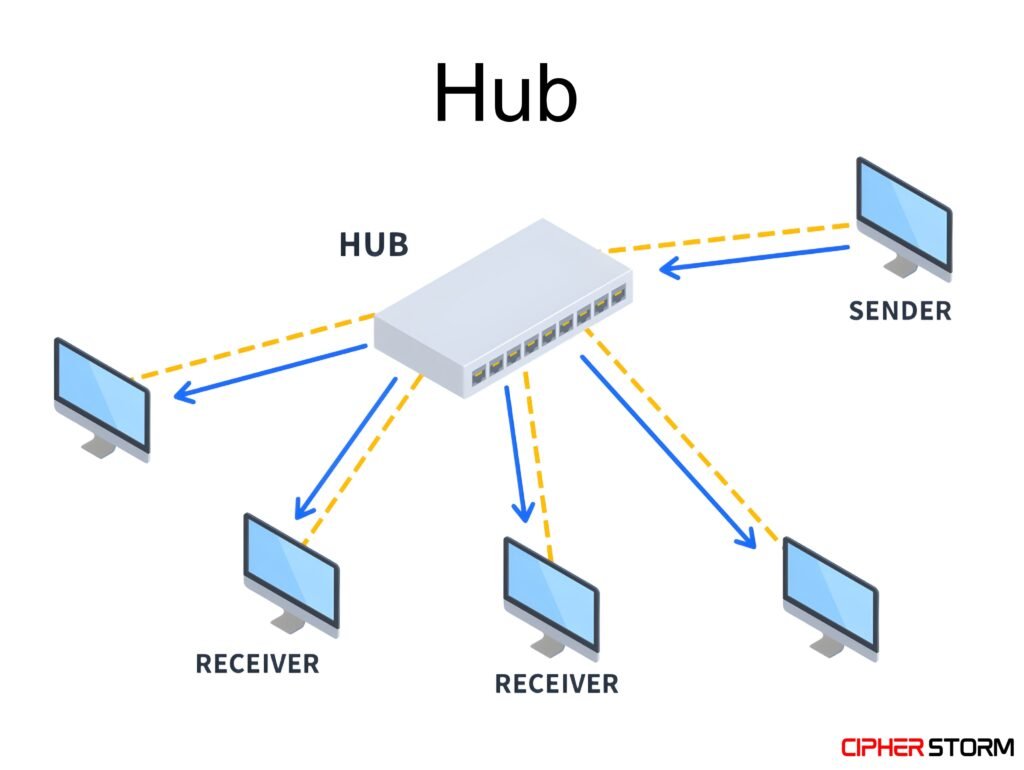
A hub is not used rarely today, but back then they had only hubs, so they have to use it. Today we have advanced technology.
A Hub is a basic networking device that connects multiple computers or network devices together in a Local Area Network (LAN). It operates at Layer 1 (Physical Layer) of the OSI model.
Cons
- Broadcasts to all Sends data to all connected devices, causing network congestion.
- No data filtering Cannot inspect or manage traffic. no MAC address handling.
- Collisions occur Uses half-duplex, increasing the chance of data collisions.
2. Repeater
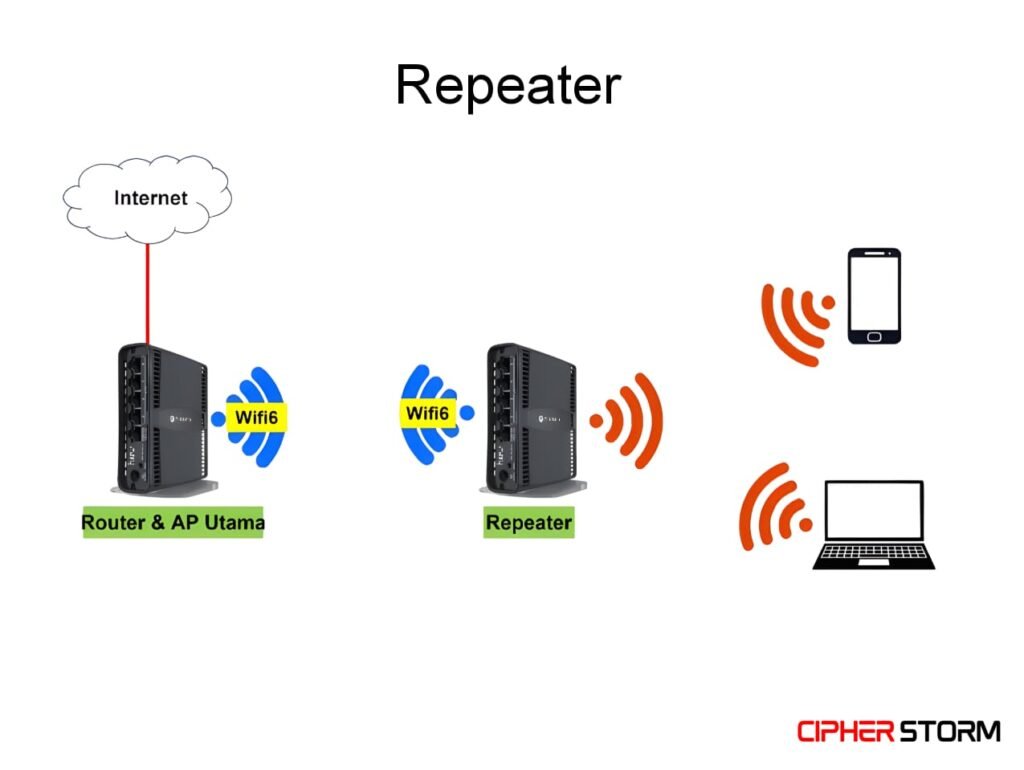
A Repeater is a network device used to regenerate and amplify signals in a network. It operates at the Physical Layer (Layer 1) of the OSI model.
When data travels over long distances through cables (like coaxial or fiber), the signal becomes weak or distorted. A repeater receives this weak signal, boosts it, and resends it, allowing data to travel farther without loss or corruption.
Pros
- Extends network range Increases the distance a signal can travel without degradation.
- Improves signal quality Regenerates weak or noisy signals into clean, original ones.
- Supports multiple media types Can be used across different types of cables (e.g., copper to fiber).
Cons
- No traffic management Cannot filter, route, or prioritize traffic. Only regenerates signals.
- Limited to same protocol Cannot connect different network architectures or protocols.
- Can amplify noise If a noisy signal is input, it may amplify errors along with the signal.
3. Bridge
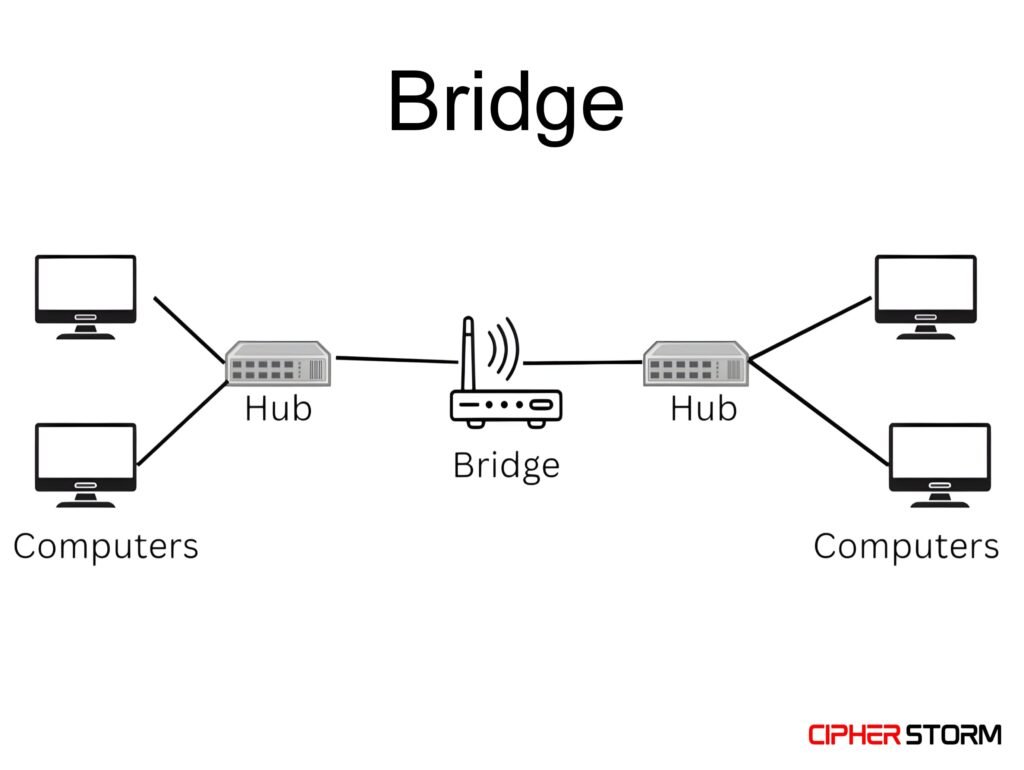
A Bridge is a network device that connects two or more LAN segments, making them act like a single network. It operates at the Data Link Layer (Layer 2) of the OSI model.
Unlike hubs or repeaters, a bridge is smart enough to read MAC addresses and decide whether to forward or filter data based on the destination device.
Pros
- Reduces traffic Filters data and sends it only to the intended segment, reducing congestion.
- Smarter than a hub Uses MAC address tables to make intelligent forwarding decisions.
Cons
- Limited ports Typically has fewer ports than modern switches.
- No routing Cannot handle traffic between different networks or subnets (unlike routers).
4. Switch
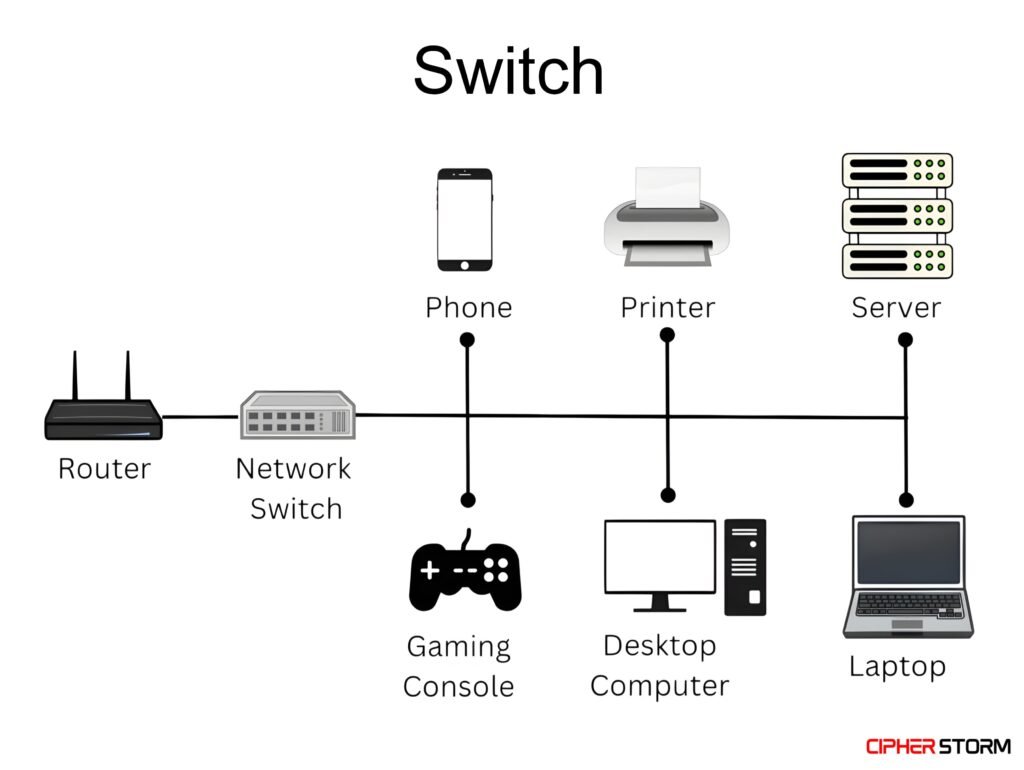
A Switch is a high-performance network device that connects multiple devices within a Local Area Network (LAN) and intelligently forwards data only to the specific device using MAC address. It operates at the Data Link Layer (Layer 2) of the OSI model. Some advanced switches operate at Layer 3 (called Layer 3 switches).
Switches have largely replaced hubs and bridges in modern networking due to their speed, efficiency, and security features.
Pros
- High performance Supports fast, simultaneous data transfers with no collisions.
- Smart forwarding Sends data only to the intended recipient, reducing network traffic.
- Advanced features VLANs, port security, traffic monitoring, and Layer 3 routing (in managed switches).
Cons
- More expensive than hubs/bridges Higher cost, especially for managed or Layer 3 switches.
- Can be overkill May be too advanced or unnecessary for very simple or temporary networks.
5. Router
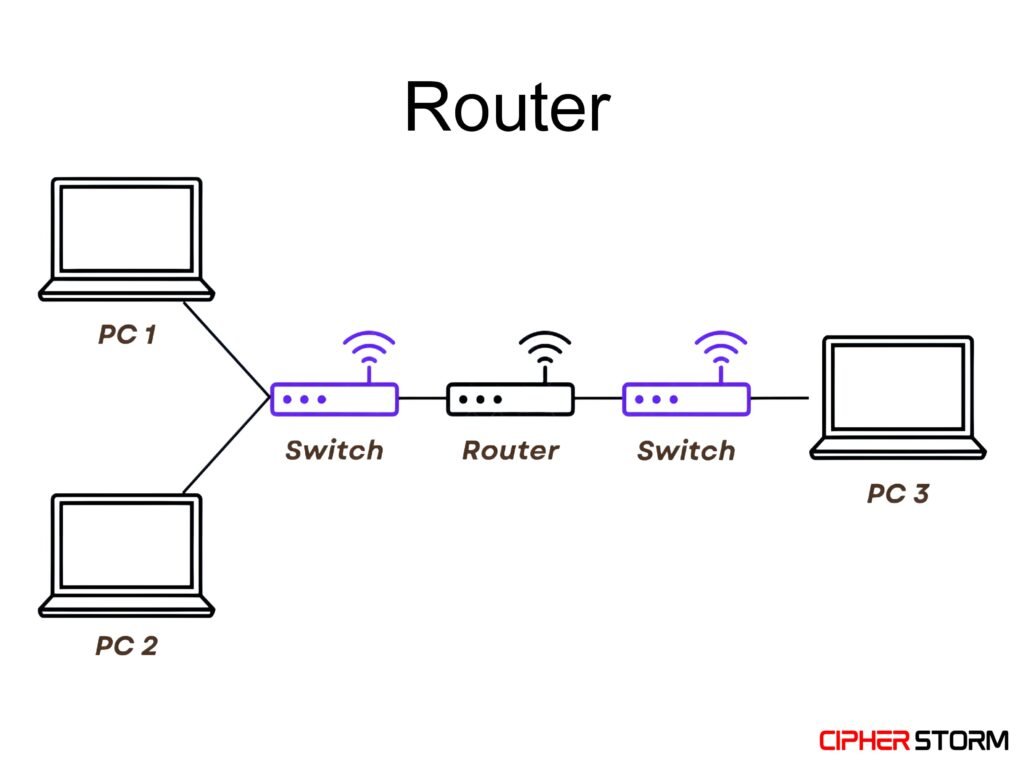
A Router is a network device that connects multiple networks together. Most commonly, it connects a local network (LAN) to the internet. It operates at the Network Layer (Layer 3) of the OSI model and uses IP addresses to route data between networks.
Routers manage traffic between networks, like between your home network and your Internet Service Provider (ISP).
Pros
- Connects to internet Essential for internet access via modem or ISP.
- Intelligent routing Chooses optimal paths based on IP, improving performance and reliability.
- Built-in security Includes firewall, NAT, DHCP, and encryption in most devices.
6. Modem
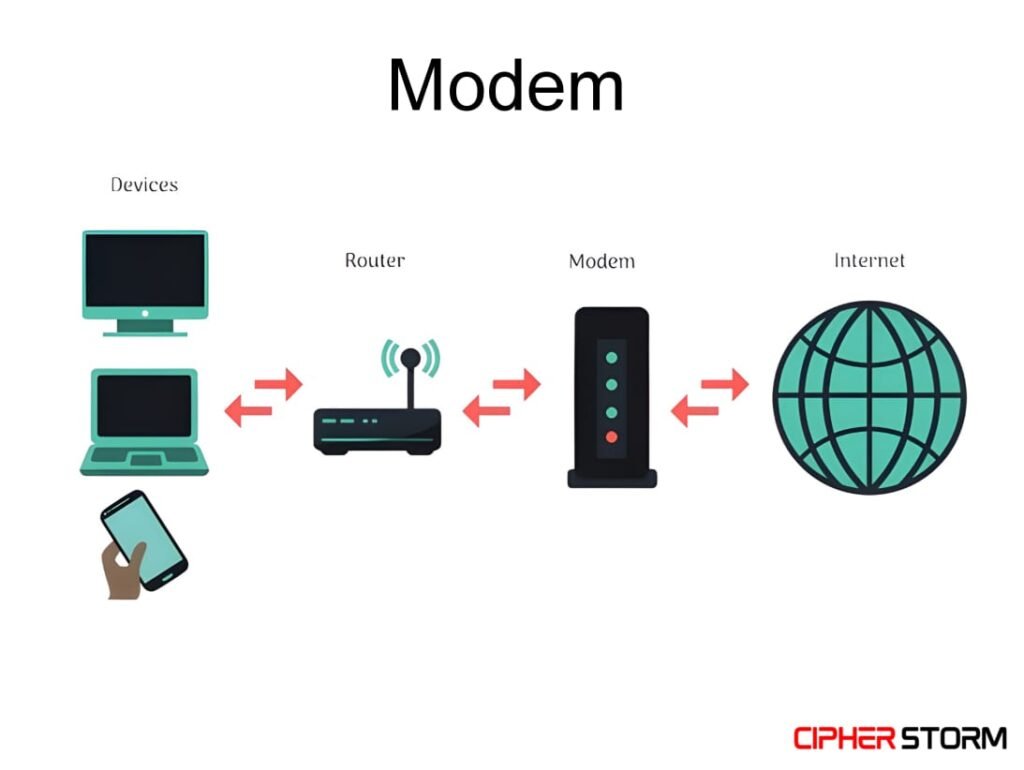
A Modem (short for Modulator-Demodulator) is a network device that converts digital signals from your computer into analog-signals that can be sent over traditional phone lines or coaxial cables, and vice versa. Back then Modem and Router were used separately, but now both are used as one device.
It operates mainly at the Physical Layer (Layer 1) and partially at the Data Link Layer (Layer 2) of the OSI model.
7. Access Point
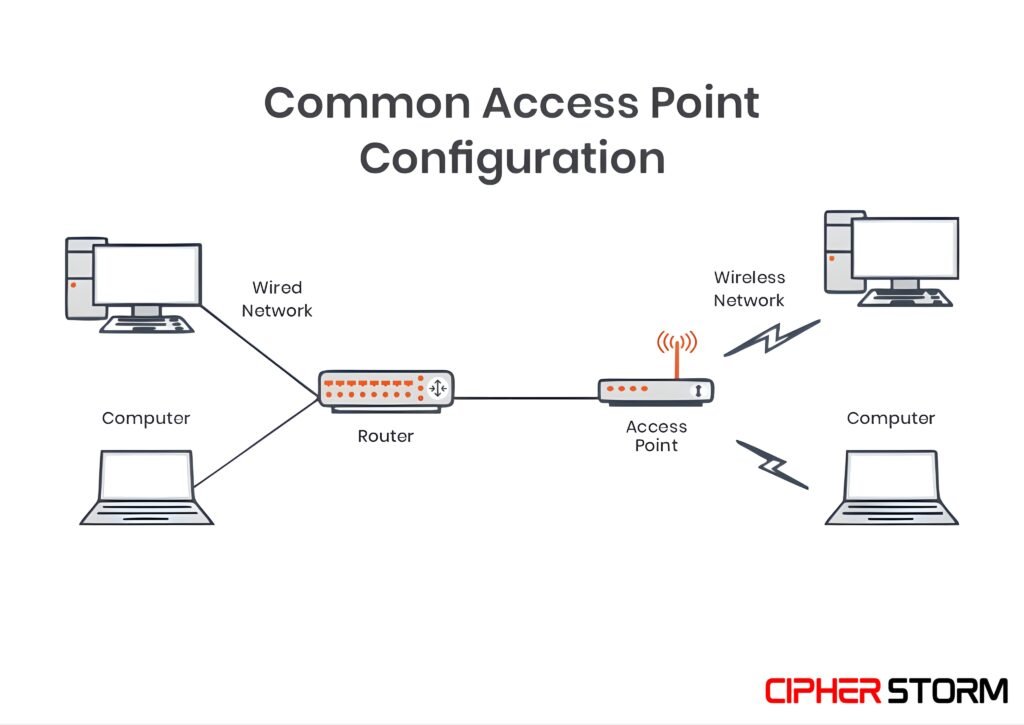
An Access Point (AP) is a network device that allows wireless devices to connect to a wired network using Wi-Fi. It acts as a bridge between a wired LAN and wireless clients, enabling devices to communicate without physical cables.
Access Points operate at the Data Link Layer (Layer 2) of the OSI model, and some have features that extend into Layer 3 (like DHCP relay or VLAN tagging).
Transmission Media
Transmission media is the physical or logical pathway that carry data from one device to another in a network. It is the medium through which the signals travel.
e.g. Think of it like a road that connects two places. In networking, it’s the channel that connects computers, switches, routers, and other devices to transmit data.
There are two main categories of Transmission Media:
1. Guided (or Wired Media)
Guided media uses a physical path such as cables or wires to transmit signals. The data signals are confined within the medium and guided from the sender to the receiver.
Types of Guided Media
1. Twisted Pair Cable
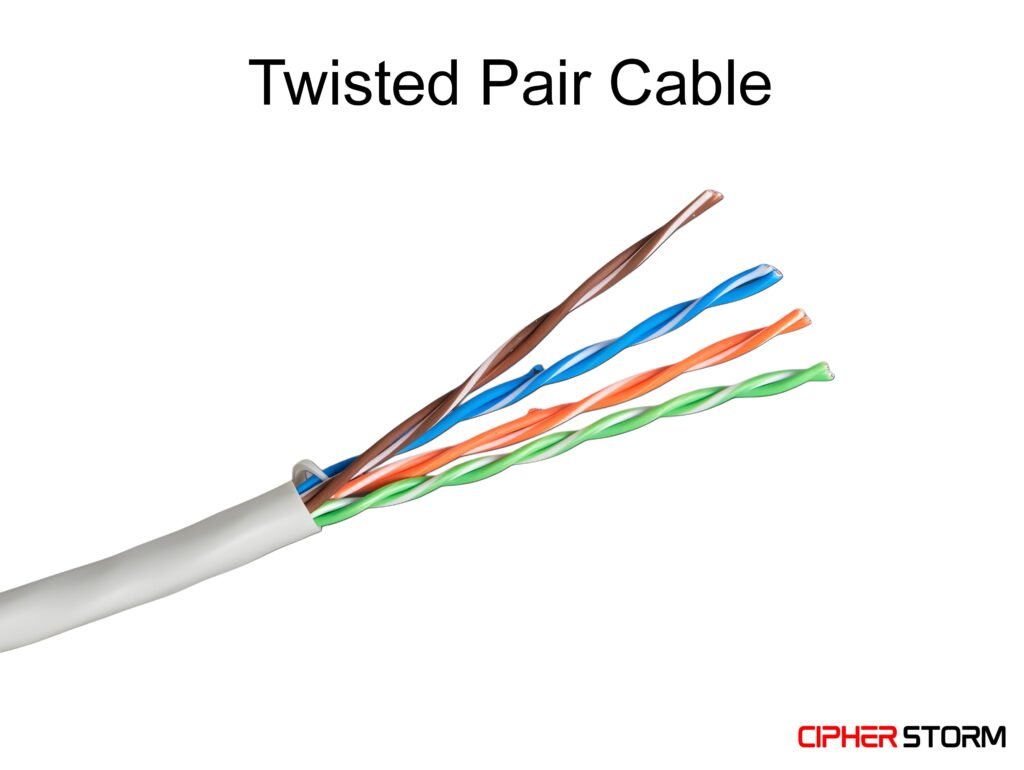
- Made of pairs of wires twisted together.
- Used in telephone lines and LANs (e.g., Ethernet).
- Speed: 1 – 10Gb/s
- Two types:
- Unshielded Twisted Pair (UTP) – common and inexpensive.
- Shielded Twisted Pair (STP) – better protection against interference.
2. Coaxial Cable
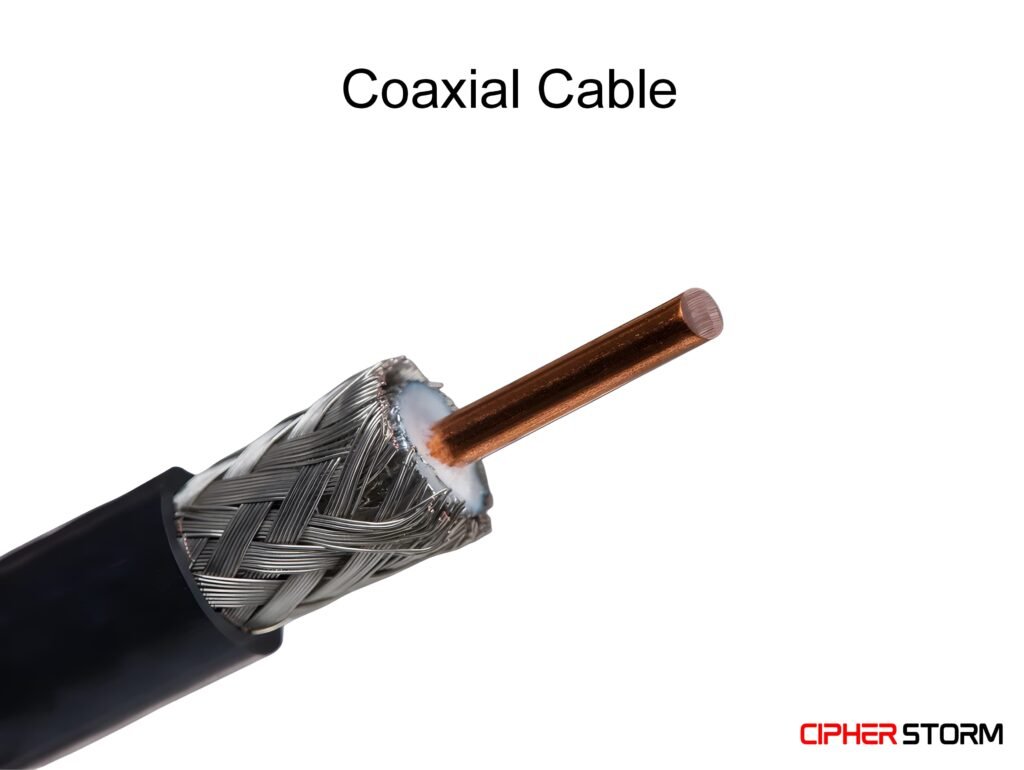
- Single copper conductor at the centre with insulation and shielding.
- Speed: 10 – 100Mb/s
- Used in cable TV networks and early Ethernet.
3. Fiber Cable
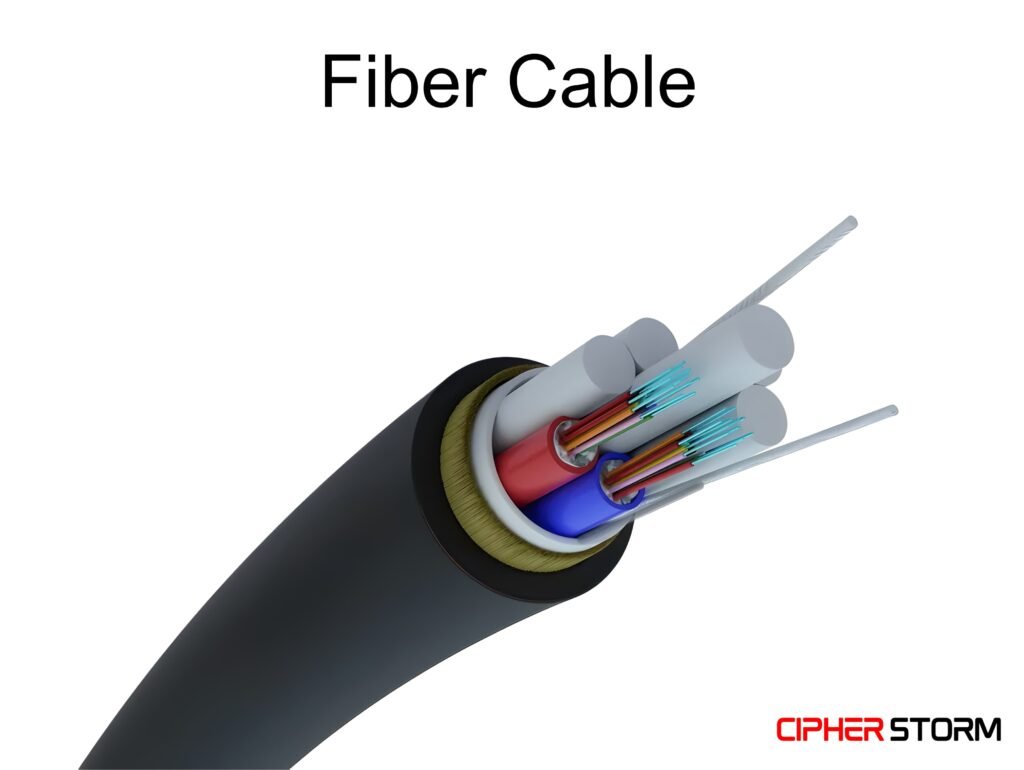
- Uses light instead of electricity.
- Speed: Up-to 100 Gb/s
- Offers high speed, long-distance communication, and is immune to electromagnetic interference.
- Very secure and widely used in backbone networks.
2. Unguided (or Wireless Media)
Unguided media transmits data without physical connections; signals are sent through the air or space.
Types of Unguided Media
1. Radio Waves
- Used for wireless LANs, AM/FM radios, and cordless phones.
- Speed: 100Mb/s to 1Gb/s
- Can travel long distances and penetrate through walls.
2. Microwaves
- Used in satellite communication and long-distance telephone calls.
- Speed: 1Mb/s to 100Gb/s
- Require line-of-sight (no obstacles between sender and receiver).
3. Infrared Waves
- Used for short-range communication like remote controls.
- Speed: 4Mb/s
- Cannot penetrate walls.
Types of Switching
Switching is the process of transferring data from a source device to a destination device within a network. The switching techniques determines how data is sent, routed, and managed during transmission.
Types of Switching
There are 3 main types of Switching:
1. Message Switching
In Message Switching, the entire message is sent to the next switch (node), stored temporarily, and then forwarded to the next node, hence the term “Store and Forward”.
Working
- The message is stored at intermediate devices before moving forward.
- No need for a dedicated path.
- Each switch holds the complete message until the next path is free.
Cons
- These is no encryption, so it can easily be hacked.
- Not suitable for real-time communication.
Used in: Early email systems, telegram systems.
2. Circuit Switching
Circuit Switching creates a dedicated communication path between the sender and receiver before any data can be sent. It is like a phone call: a line is reserved exclusively for that session.
Working
- A complete end-to-end path is established.
- All data travels on that same path.
- Once communication ends, the path is released.
Pros
- Good for real-time data like voice or video calls.
Cons
- Wastes resources (path stays reserved even if no data is being sent).
- Takes time to establish the connection.
Used in: Traditional telephone networks.
3. Packet Switching
Packet Switching breaks the data into smaller units called packets. These packets are sent individually over the network and may take different routes to reach the destination.
Working
- Data is divided into packets with headers.
- Packets are routed independently.
- At the destination, packets are reassembled.
Pros
- Highly efficient and scalable.
- Resilient — packets can be rerouted if there’s congestion or failure.
Cons
- Packet loss or delay can happen.
- Requires complex protocols to reassemble data.
Used in: The Internet, modern computer networks (TCP/IP).
If you feel any difficulty in reading the article you can mentioned video below.




😊😊😊